
Home › Templates › Public information, safety & everyday utility › Office rules & notices
In minutes: your office rules & notices.
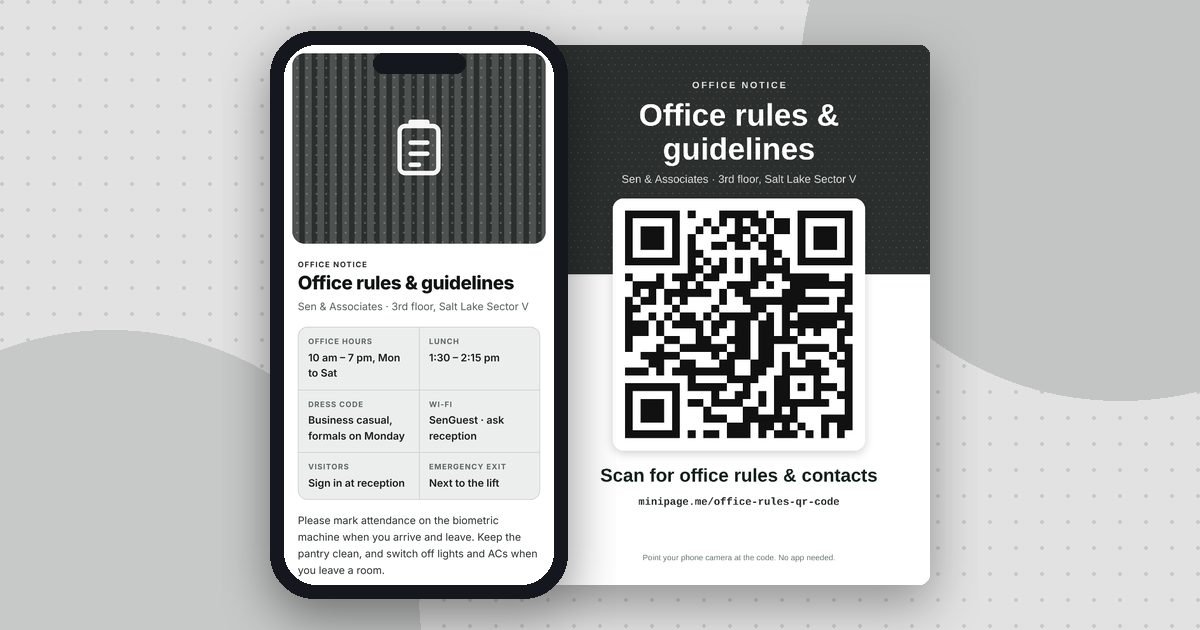
Stick it at reception, by the attendance machine or in the pantry. Staff and visitors scan for office timings, rules, Wi‑Fi, leave policy and who to contact, and you update it without reprinting. It is free forever; you only sign up free with your email.
Why put a QR code on your office rules & notices?
The essentials fit on paper. Everything else sits behind the QR code: people scan it for office rules & contacts.
Visitors message you with a ready-made text, without saving your number first.
Edit the page any time. The printed QR code stays the same and always shows the latest details.
Add a cover photo and up to six more; visitors swipe through them like an album.
Your office rules & notices in 4 steps
Questions
Is the office rules & notices page free?
Yes. Making, publishing and sharing the page, its short link, its QR code and the print-ready poster is free forever, with no time limit. You only sign up free with your email. Optional Minipage Plus adds 5 premium colours and a signature design for ₹99 a month or ₹799 a year.
Do people need an app to scan it?
No. Any phone camera opens the page. It works on Android and iPhone without installing anything.
Can I change the details after printing the QR code?
Yes. Edit the page any time and the same printed QR code shows the updated details.
Which paper sizes can I print?
A3, A4, A5, A6, US Letter and US Legal, in colour or black and white.
Which languages are supported?
Pages can be shown in English, Bengali, Hindi, Tamil, Telugu, Marathi, Gujarati, Kannada, Malayalam, Punjabi, Odia and Urdu.
A QR code for something else?
Make your office rules & notices now
Takes just minutes. Free forever. No app needed for your visitors.
Start with this template